Hands-On Apple (Audio) Podcast Por TWiT arte de portada

Hands-On Apple (Audio)

Hands-On Apple (Audio)

De: TWiT
Escúchala gratis

Hands-On Apple explores and explains the Mac — and beyond! From clever Terminal commands to little-known iOS settings, Mikah Sargent shares all the best tips and tricks for your Mac, iPad, iPhone, and Apple Watch. You'll get all the details on Apple's apps and the best apps in the App Store, you'll learn about awesome accessories for your Apple devices, and you'll explore updates to Apple's operating systems — including iOS, macOS, iPadOS, and watchOS. Hands-On Apple is your one-stop shop for Apple know-how. You can join Club TWiT for $10 per month and get ad-free audio and video feeds for all our shows plus everything else the club offers...or get just this podcast ad-free for $5 per month. New episodes every Thursday.This work is licensed under a Creative Commons License - Attribution-NonCommercial-NoDerivatives 4.0 International - http://creativecommons.org/licenses/by-nc-nd/4.0/
Episodios
  • HOA 225: Wrangling Auto-Correct
    Apr 2 2026

    Tired of autocorrect sabotaging your texts? This episode shows how small changes like persistent rejection and custom text replacements can actually make Apple's keyboard work for you.

    • Why auto-correct fails and how Apple devices handle corrections
    • Auto-correct's evolution with iOS 17 and transformer language models
    • How auto-correct learns and why personalized dictionaries matter
    • Key steps to retrain auto-correct for smarter suggestions
    • Resetting your keyboard dictionary: the nuclear option explained
    • iOS and macOS keyboard settings: making auto-correct work for you
    • Auto-correct's pain points: bilingual typing, jargon, and missing features
    • Text replacement: the ultimate hack for tricky words and shortcuts
    • Top text replacement use cases for emails, addresses, and custom phrases
    • Practical tips to tame auto-correct and improve your typing flow
    • Missing features Apple still hasn't addressed in auto-correct

    Host: Mikah Sargent

    Download or subscribe to Hands-On Apple at https://twit.tv/shows/hands-on-apple

    Want access to the ad-free audio and video and exclusive features? Become a member of Club TWiT today! https://twit.tv/clubtwit

    Club TWiT members can discuss this episode and leave feedback in the Club TWiT Discord.

    Más Menos
    19 m
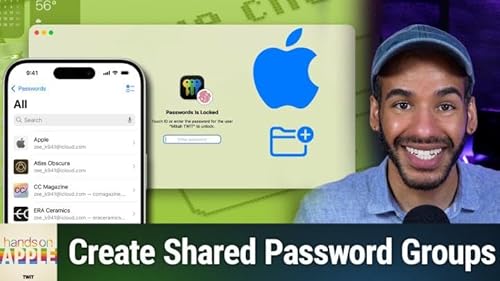
  • HOA 224: Passwords App: Shared Groups & Limitations
    Mar 26 2026

    Is Apple's Passwords app a true contender for your digital life, or does it fall short for tech-savvy households? Find out how it stacks up against premium managers and where it still leaves power users wanting more.

    • How shared password groups work in the Passwords app
    • Step-by-step walkthrough: creating and managing shared groups
    • Apple Passwords sharing vs. third-party apps like 1Password, Bitwarden (TWiT sponsor)
    • Wi-Fi password management and sharing via QR codes
    • Passwords app limitations: organization, secure notes, file storage, platform support
    • Migration challenges from other password managers
    • Travel needs and sensitive data: third-party travel mode vs. Passwords app
    • Who should use Apple's Passwords app and who needs more advanced tools
    • Hybrid approaches: combining Apple Passwords with third-party managers

    Host: Mikah Sargent

    Download or subscribe to Hands-On Apple at https://twit.tv/shows/hands-on-apple

    Want access to the ad-free audio and video and exclusive features? Become a member of Club TWiT today! https://twit.tv/clubtwit

    Club TWiT members can discuss this episode and leave feedback in the Club TWiT Discord.

    Sponsor:

    • threatlocker.com/twit
    Más Menos
    16 m
  • HOA 223: Level Up Your Passwords Security
    Mar 19 2026

    What if logging in didn't mean juggling passwords and SMS codes? This episode demonstrates how Apple's Passwords app could make passkeys your new security upgrade and what may help protect your digital life.

    • Understanding and setting up two-factor authentication codes in Passwords
    • How to scan and autofill TOTP codes on macOS and iOS
    • Best practices for migrating 2FA codes from other authenticator apps
    • Passkeys setup, security benefits, and workflow
    • Passkey vs. password: what to expect when logging in
    • Apple security recommendations: flagged, reused, weak, and leaked passwords
    • Prioritizing which flagged passwords to fix first
    • Homework: add verification codes, create a passkey, and fix at-risk accounts

    Host: Mikah Sargent

    Download or subscribe to Hands-On Apple at https://twit.tv/shows/hands-on-apple

    Want access to the ad-free audio and video and exclusive features? Become a member of Club TWiT today! https://twit.tv/clubtwit

    Club TWiT members can discuss this episode and leave feedback in the Club TWiT Discord.

    Sponsor:

    • outsystems.com/twit
    Más Menos
    17 m
Todavía no hay opiniones