

Get started with Your Company Bookshelf
With Amazon’s self-service tool, you can either pre-select specific titles or set a voucher amount that lets employees pick what interests them most.Selecting formats for your shared shelf?
Audiobooks are screen-free, easy to finish, and more engaging thanks to expert narration and on-the-go access.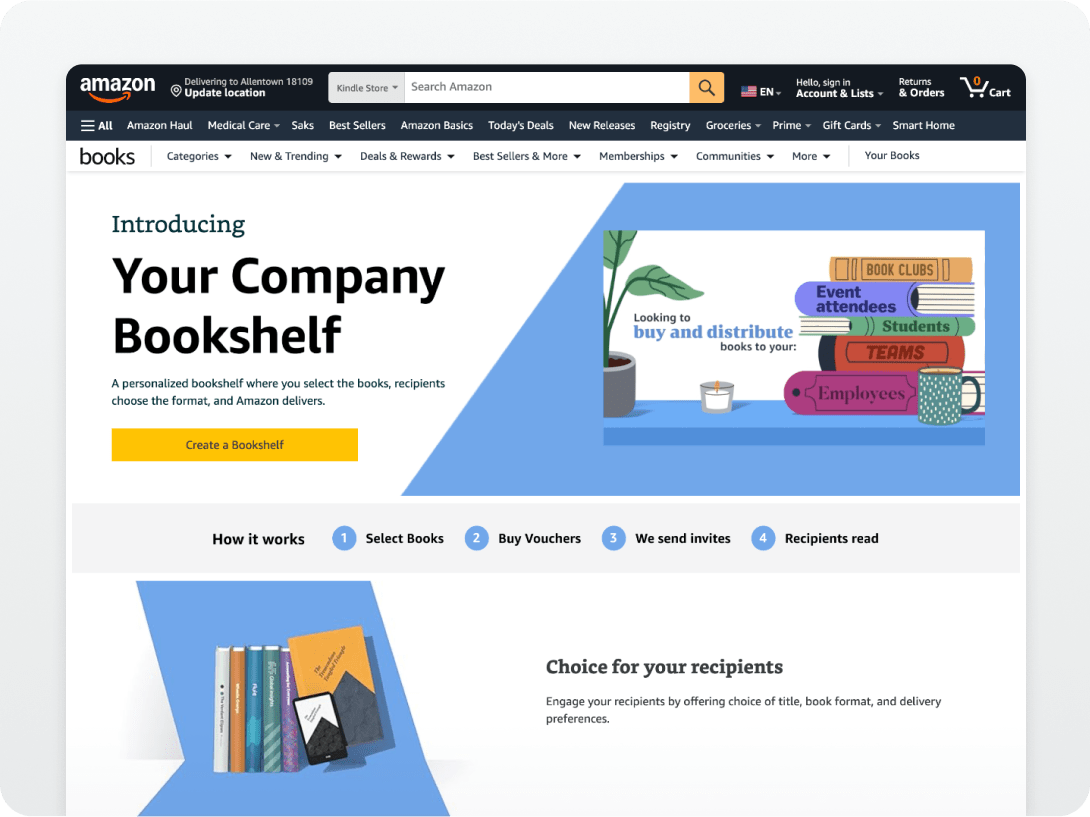
Step 1: Sign in or create an account
Visit Your Company Bookshelf and sign in with your Amazon Business account. If you’re new, creating an account is easy and free.
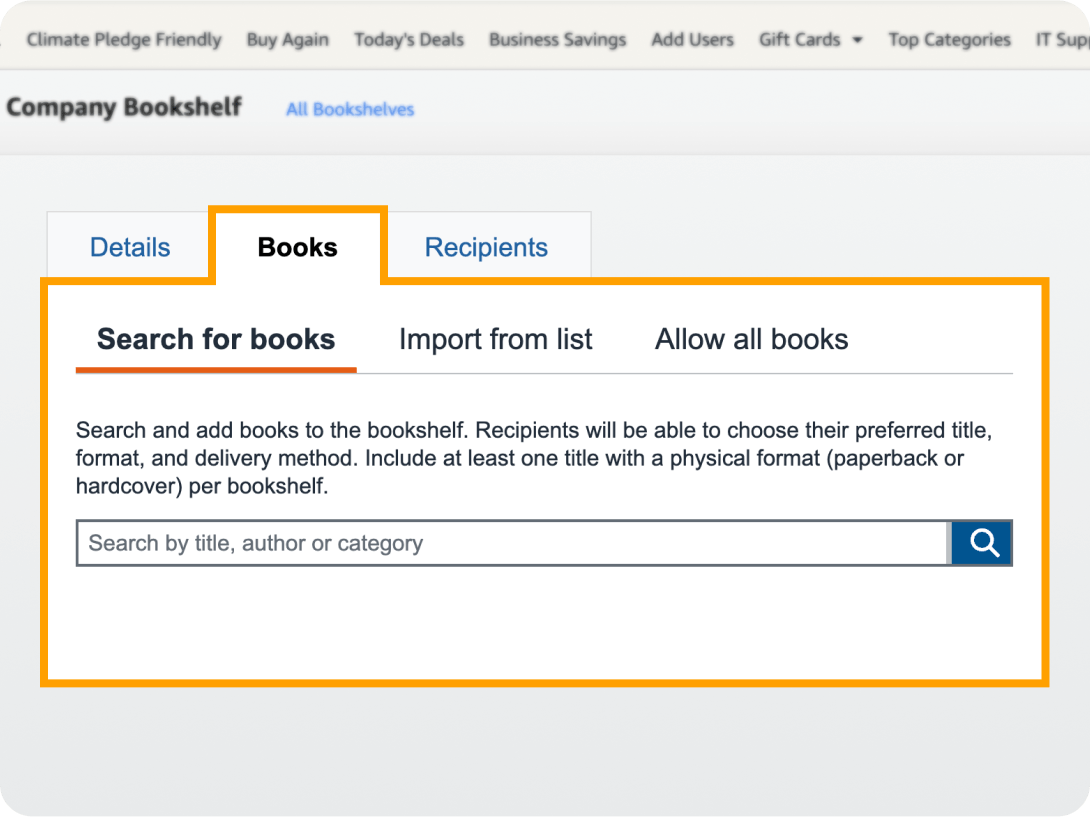
Step 2: Build your Bookshelf
Choose titles that support your team’s goals—you’ll find a wide selection of topics ranging from professional development and productivity to leadership and AI.
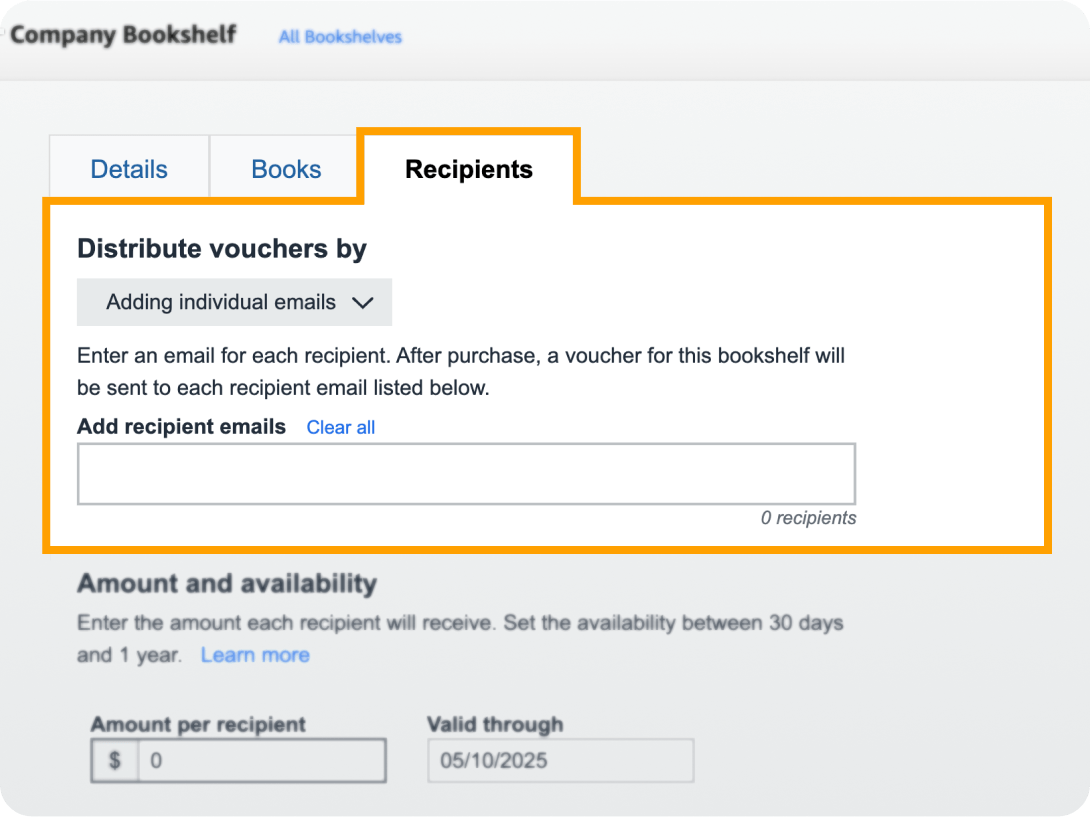
Step 3: Set your budget
Decide how much each team member can spend—and how long their voucher will last. We recommend $25-$30 for most audiobooks, or $30-$40 for more flexibility. If a title costs more, they can pay the difference at checkout.
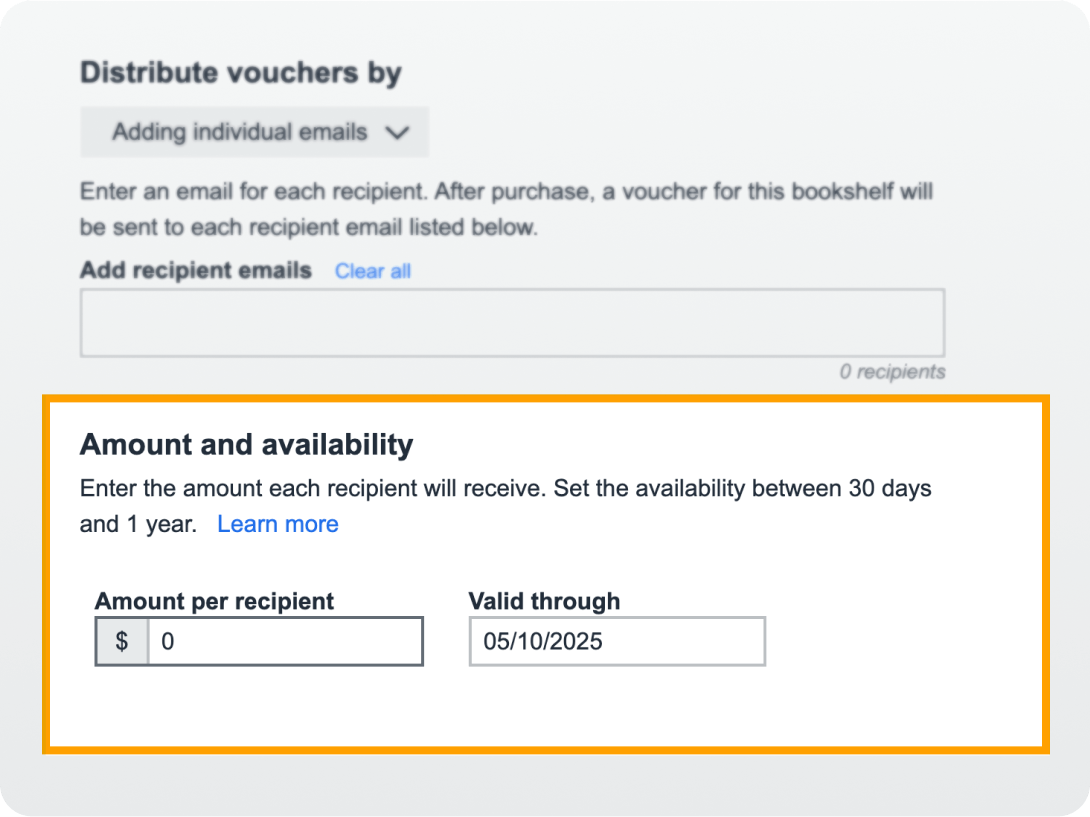
Step 4: Invite your team
Add your team members’ email addresses, and Amazon will send a personalized invite to join your curated Bookshelf. Recipients can pick a title in their favorite format: print, eBook, or audio.
We’re ready when you are
Audible for Business offers two flexible options to bring audio learning to your workforce.Build your Bookshelf
Don’t have an account yet? Setting one up is quick and free.
Get guidance to scale
Connect with a representative to explore bulk ordering opportunities.
Frequently asked questions
How do I set up a Bookshelf?
You need an Amazon Business account and your recipients' email addresses. Click here to create your first Your Company Bookshelf.
How does funding work?
You can buy vouchers when you invite recipients to a Company Bookshelf or add funds to your standing balance to issue vouchers at a later point in time. Funds used to issue vouchers are reserved for the duration of the 'valid through' time period. Any funds not used by the 'valid through' date are returned to your available balance.
Can invitations be used multiple times?
Invitations can only be used to claim a Bookshelf Voucher once and cannot be shared.
Is the Your Company Bookshelf I created publicly visible? Who can buy from it?
Only invited recipients can view and purchase from Your Company Bookshelf.
Can Bookshelf vouchers be used for other products on Amazon?
No, Bookshelf Vouchers can only be used to purchase print, eBook, or audiobooks on Your Company Bookshelf.
I do not have a Amazon Business account. Can I still create a Your Company Bookshelf?
You need to create a free Amazon Business account to use Your Company Bookshelf. Learn more about Amazon Business.
How do I manage my budget and make payments?
As part of setting up Company Bookshelf, you indicate the number of recipients and amount given to each recipient. For instance, $20 per recipient, for 100 recipients will require $2,000 in purchased funds. Any funds not used by the 'valid through' date are returned to your available balance. You can view reports the number of outstanding invitations, claimed vouchers, and remaining balance.
If I have a Business Prime Account, will my recipients qualify for free shipping?
Since recipients are placing the orders for the books using their own accounts, only each recipient’s Prime status is considered for shipping options.
My Amazon Business account is part of Amazon Tax Exemption Program (ATEP), will this excemption carryover to my recipients?
No, only the recipient’s Amazon account tax status is considered. You will not have to pay taxes on funding of the vouchers for recipients, but your recipients will likely have to pay sales tax, which you may want to consider when deciding on the funding amount to provide them.
How do book returns work?
Standard Amazon.com return policies apply to any recipient order. Recipients return their book(s) purchased with Bookshelf Vouchers and select from other books on Your Company Bookshelf. If a return happens after the 'valid through' date, your recipient is provided with a three month grace period to select another book.
Can I have international recipients?
At this time, Your Company Bookshelf is only available in the United States.
What is the privacy policy?
Amazon does not share any personal/company account information. For more details view Your Company Bookshelf policies.
Do recipients need an Amazon account?
Yes, recipients need an Amazon or Amazon Business account to apply their Bookshelf Voucher. They can use an already existing account or create a free account.
Can recipients pick any book format?
Recipients can choose from formats like, Kindle eBook, paperback, hardcover, and Audible audiobook, subject to inventory availability.
Do recipients have to pay for the books that they purchase?
Recipients have the Your Company Bookshelf Voucher amount automatically applied to the cost of any of the books when they accept the invitation. Any remaining balance beyond the provided Bookshelf Voucher is paid for by the recipient.